Follow the music
Shapes and colours evolve with the track, following its rhythms and changes in sound.

ON IPHONE AND IPAD
Play a track in AudioGrafik. The visuals respond to bass, percussion and melodies. Choose the scenes and effects you want to see.
See the App Store listing for compatibility and the latest updates.
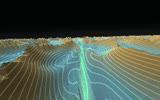

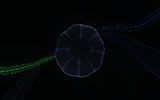
Shapes and colours evolve with the track, following its rhythms and changes in sound.
Select scenes and effects in the VJ space. AudioGrafik varies them during playback.
The controls hide during playback. Tap the screen to bring them back.
Read the help pages or contact us if you run into a problem.
Get support →